Cabinet modeling
Build base, wall, tall, and under-stairs cabinets with doors, drawers, hardware, and custom dimensions.

Design cabinets in 3D, arrange them in a room, and turn your project into a practical cut plan and estimate — all in one workspace.
Free to use while Karpentito is in beta.
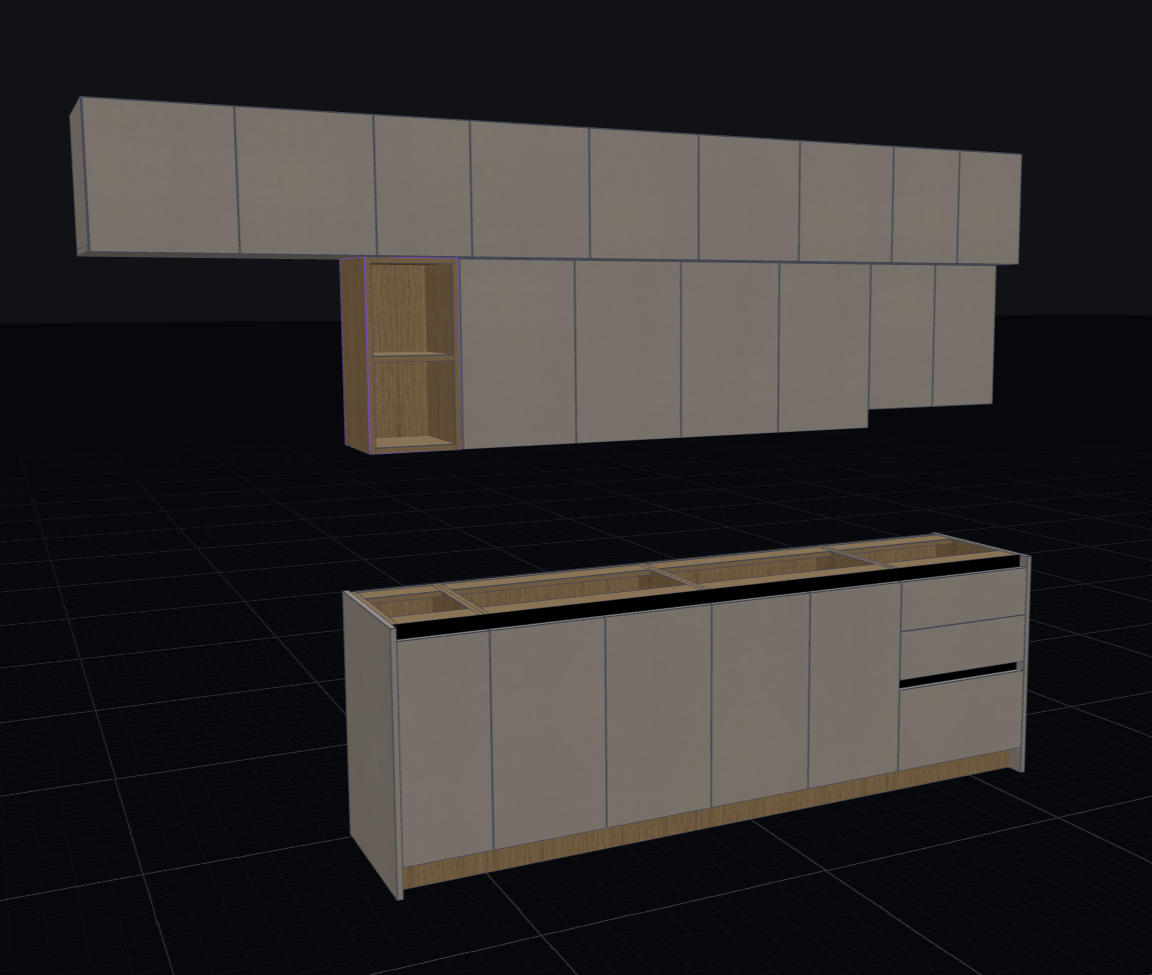 3D room layout
Wall, base and drawer cabinets
3D room layout
Wall, base and drawer cabinets
Plan the design, materials, and costs together, so the details stay connected.
Build base, wall, tall, and under-stairs cabinets with doors, drawers, hardware, and custom dimensions.
Place cabinets and walls in a shared room view, then inspect the layout from any angle.
Nest panels onto sheet stock with grain direction, edge banding, and kerf allowances in mind.
Keep sheet materials, hardware, fittings, and edge bands organized in reusable presets.
Bring material and hardware costs into a clear estimate, then export the project details.
Send a read-only link to a design and choose which model, cut list, BOM, or quote to show.
Start with cabinet dimensions, choose your materials, and carry those decisions through to the cut plan and estimate.
Anyone with a shared link can view it. You can update or revoke links anytime. Read our Privacy Policy for details.